Excel VBA course for Chemical Engineers
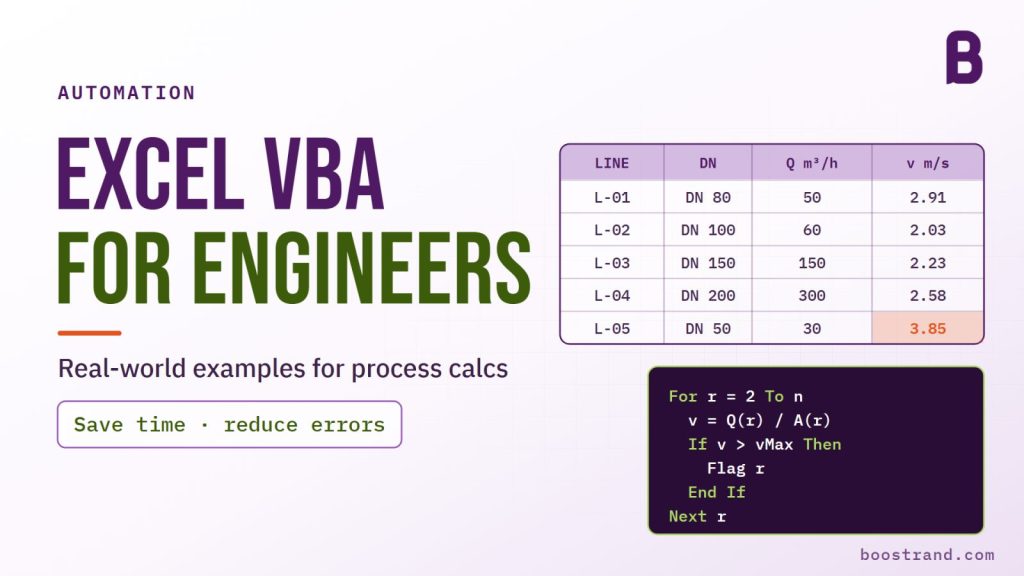
Learn Excel VBA Concepts in Action: Save Time and Reduce Errors with Real-World Examples
29 lessons · 4 h 49 min of video · 1 download
Certificate of completion
What you will learn
- Go through the main concepts of programming with Excel VBA
- Automate your recurring tasks using Excel Macros
- Supercharge Your Excel Skills by Creating Custom Functions with VBA
- Apply Real-World Examples of automating our Excel Tasks using VBA
- Create pipe sizing function using VBA
- Link Pipe Sizing and Pump Hydraulics Excel sheets using VBA
- Bulk create pump data sheets with small button clicks
- Lessons
- 29
- Video time
- 4 h 49 min
- Downloads
- 1
- Text lessons
- 1
Course content
10 sections · 29 lessons · 4 h 49 min
Introduction
- IntroductionFree preview3:03
Basic Programming and VBA Concepts
- Access the Developer's Ribbon and Record your First Macro13:22
- Data Types: Doubles, Strings, Arrays, and Objects16:16
- Add, subtract, concatenate variables and convert them to other data types8:00
- Manipulate strings: Get substrings and check if specific characters exist9:27
- Conditionals: If and Select Statements8:59
- Control the output using Excel Input box and if statement3:41
- Loops: For and For Each7:51
- Combine Conditions with Loops6:26
- Sub procedures and Functions8:42
Excel VBA Objects
- What are Excel objects?3:55
- Excel Workbook Objects16:49
Let's start applying (Re-group tables)
- Add new worksheets auto…16:49
- Add the data in the format…14:08
Create custom Excel Formula (Pipe Sizing)
- How the Pipe Sizing Proced…3:45
- Get Preliminary pipe diamet…21:08
- Get final pipe diameter bas…14:08
Add customized external calculation sheets to main sheet based on user input
- Overview4:19
- Define variables based on u…14:12
- Add customized pipe sizing…15:34
- Link the original pump sizin…22:26
Automate your copy and paste task from a file to another
- Macro overview1:57
- Add data based on fixed ce…17:14
- Add data more elegantly usi…5:12
- Control the cells to copy an…19:15
Copy and paste from multiple files to corresponding new templates
- Access more than one file…10:57
- Save generated files as pdf1:48
Source Files
- Download Source Files
So what's Next?
- Are you ready?
About this course
Are you tired of spending valuable time on repetitive manual tasks that are prone to errors? If so, this course is tailor-made for you.
Imagine a world where you can automate these tasks, this shall:
- Save precious time,
- Minimize errors
- Allowing you to focus on more critical thinking-oriented responsibilities.
Excel VBA macros can make this a reality.
What you will do in this course
In this comprehensive course, you will:
- Explore the Excel developer ribbon: learning how to record or write macros.
- Master essential programming concepts: including data types, conditions, loops, and functions.
- Discover Excel objects: the key interface that grants access to workbook files, worksheets, and cells.
- Apply automation Examples: Embark on an exciting journey of applying these concepts to create macros that automate tasks. While the examples may focus on chemical engineering tasks, the principles apply to any field.
With a simple button click, you will:
- Display user-input data using Excel Input Box.
- Learn how to format and group tables to your specifications, adding them to different sheets.
- Incorporate external sheets into Excel calculations, linking them with the main sheet based on user input in specific cells.
- Create custom functions that seamlessly integrate as Excel formulas.
- Automatically copy data from one file to another.
- Apply the above point to multiple files, where you will:
- Create a new directory.
- Generate files in the desired format.
- Copy data from each file to the corresponding new file.
- Save the new file as a PDF.
Achieve all of this with a single button click.
Throughout the course, you will gradually write code, encounter and troubleshoot errors, and learn how to test your macros before full implementation.
Who this course is for
This course is for anyone tired of spending valuable time on repetitive manual tasks that are prone to errors.
You do not need coding experience: the course goes through the main programming principles we need. You’d just need a basic knowledge of Microsoft Excel.
Your instructor
Mohamad
Process Engineer
Mohamad is a chemical engineer with over 16 years of experience in the oil, gas, and petrochemical industries, particularly in the field of process design engineering. He has worked on projects for various engineering companies. Seeing firsthand the need for practical engineering learning tools, Mohamad began creating online courses and educational content focused on real-world process engineering workflows. He aims to make complex technical concepts approachable through the use of demonstrations, simulations, and practice exercises. Mohamad is passionate about equipping the next generation of engineers with the skills and knowledge to excel in their careers.
Frequently asked questions
Do I need to have coding experience to take this course?
Absolutely NOT!! The course shall go through the main programming principles we need. You’d just need a basic knowledge of Microsoft Excel.
Don't have PayPal account or have an issue with payment?
Guarantee
30-Day Money-Back Guarantee. Secure checkout, full lifetime access.